A look inside
What PROVIA actually looks like
These are photographs of the running app, not drawings of it. The portfolio in them is invented — a small Leeds landlord with six rooms, some rent paid and some not.
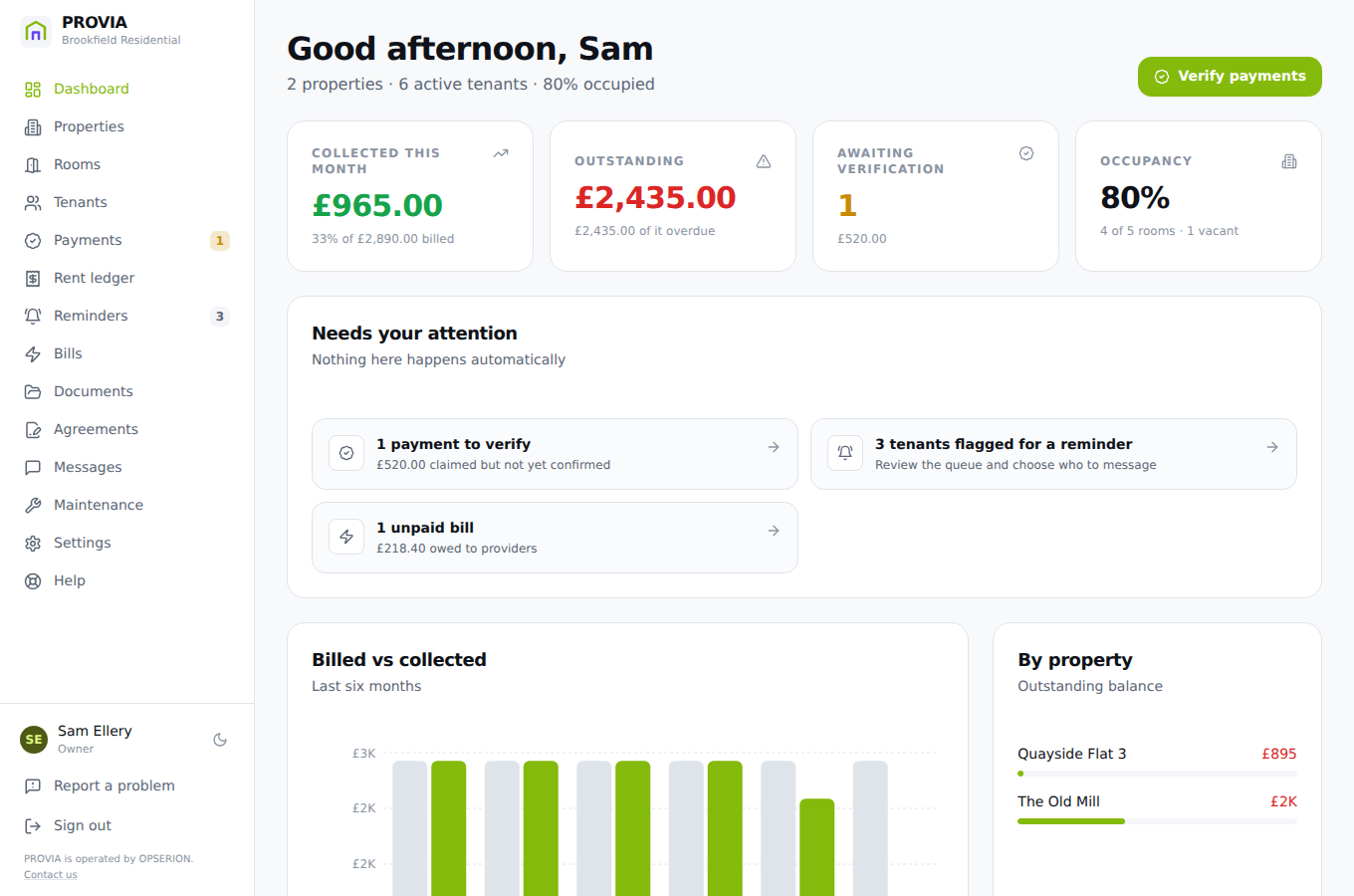
Everything at a glance
Occupancy, what is owed, what is waiting on you, and how collection has gone month by month.
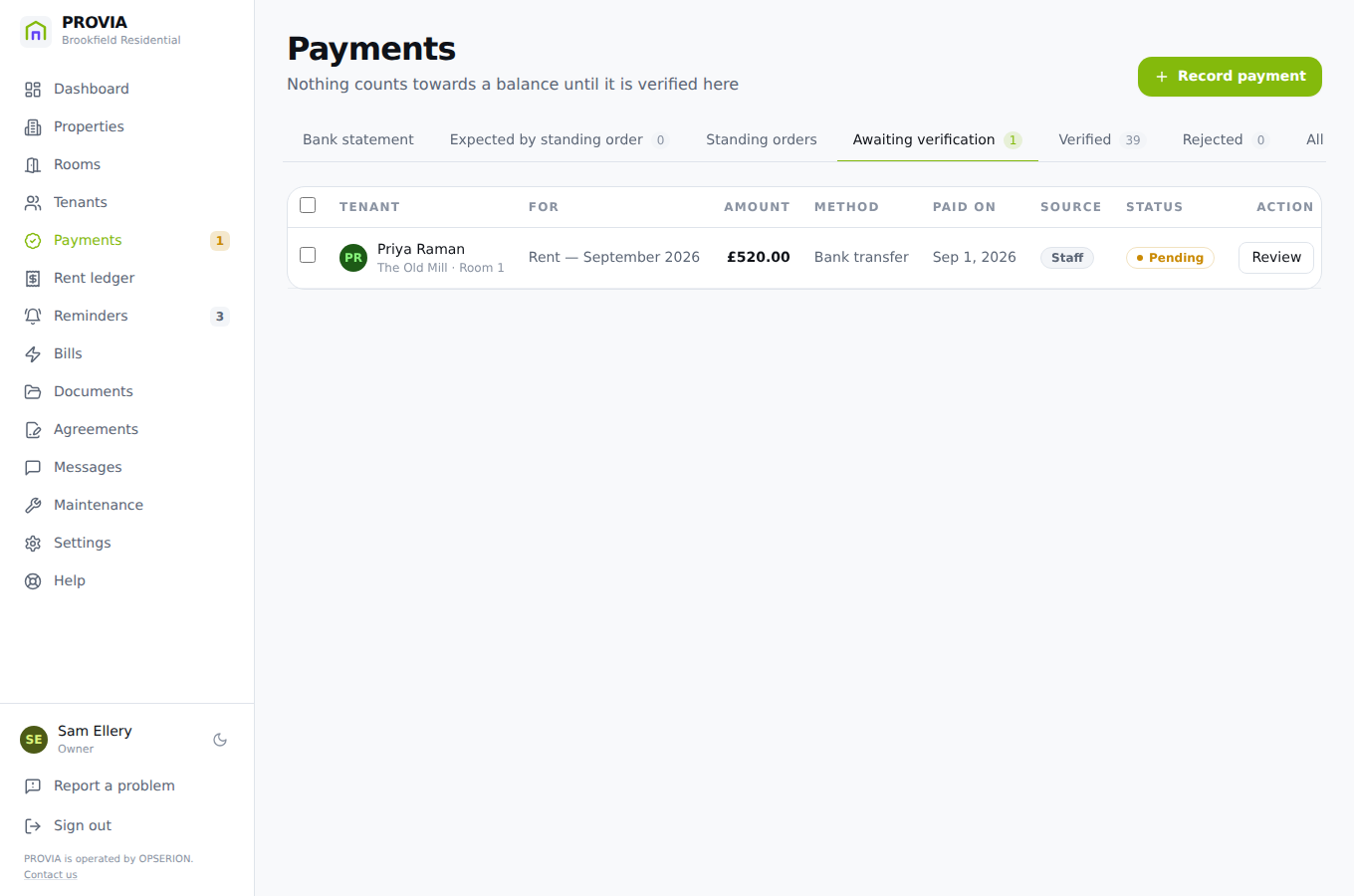
Rent verified, not assumed
A tenant submits a payment with proof. It counts for nothing against their balance until a manager confirms it.
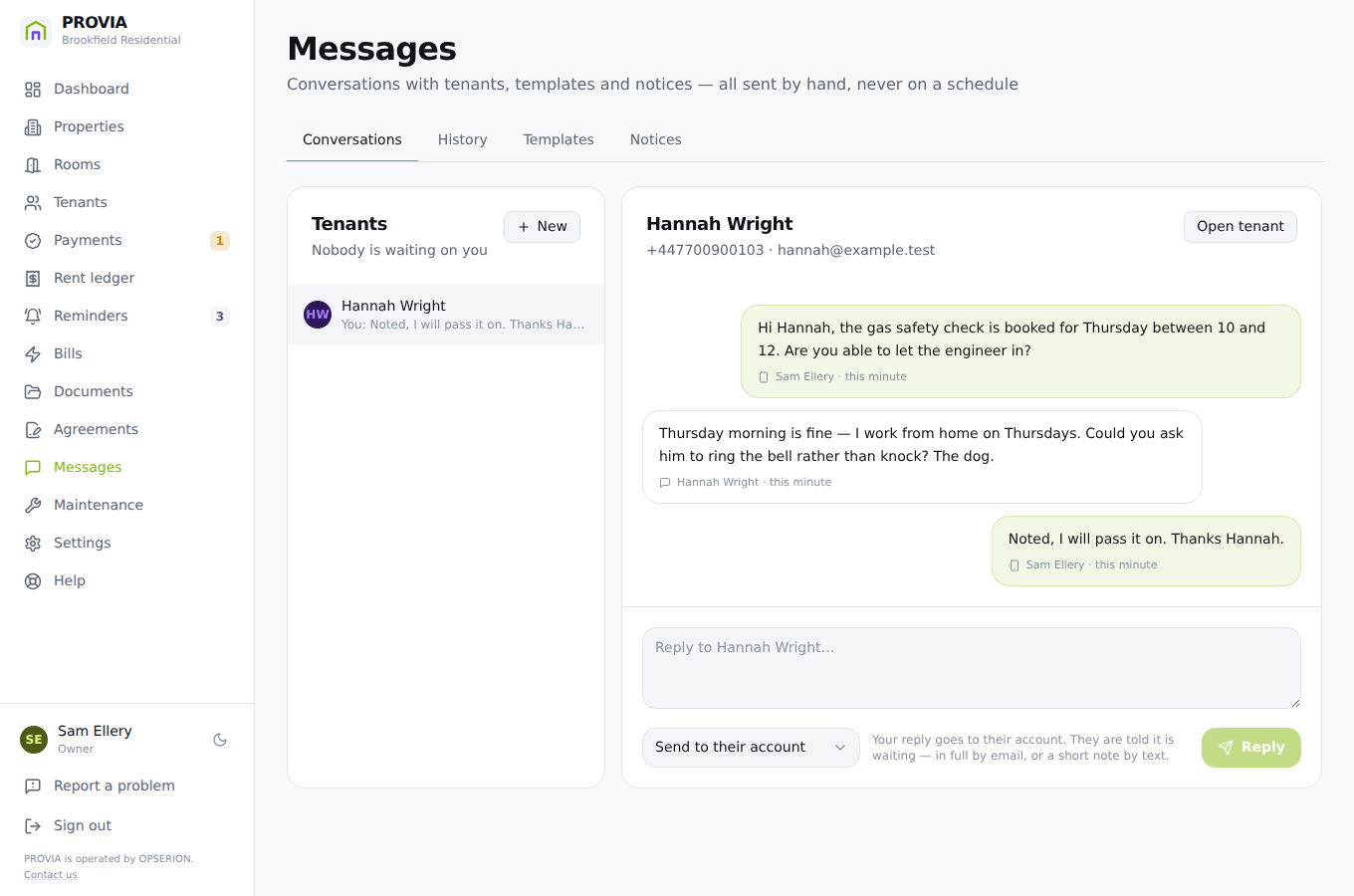
Texting a tenant
Pick a template, see the exact words and the segment count, and send it yourself. Nothing here goes out on a timer.
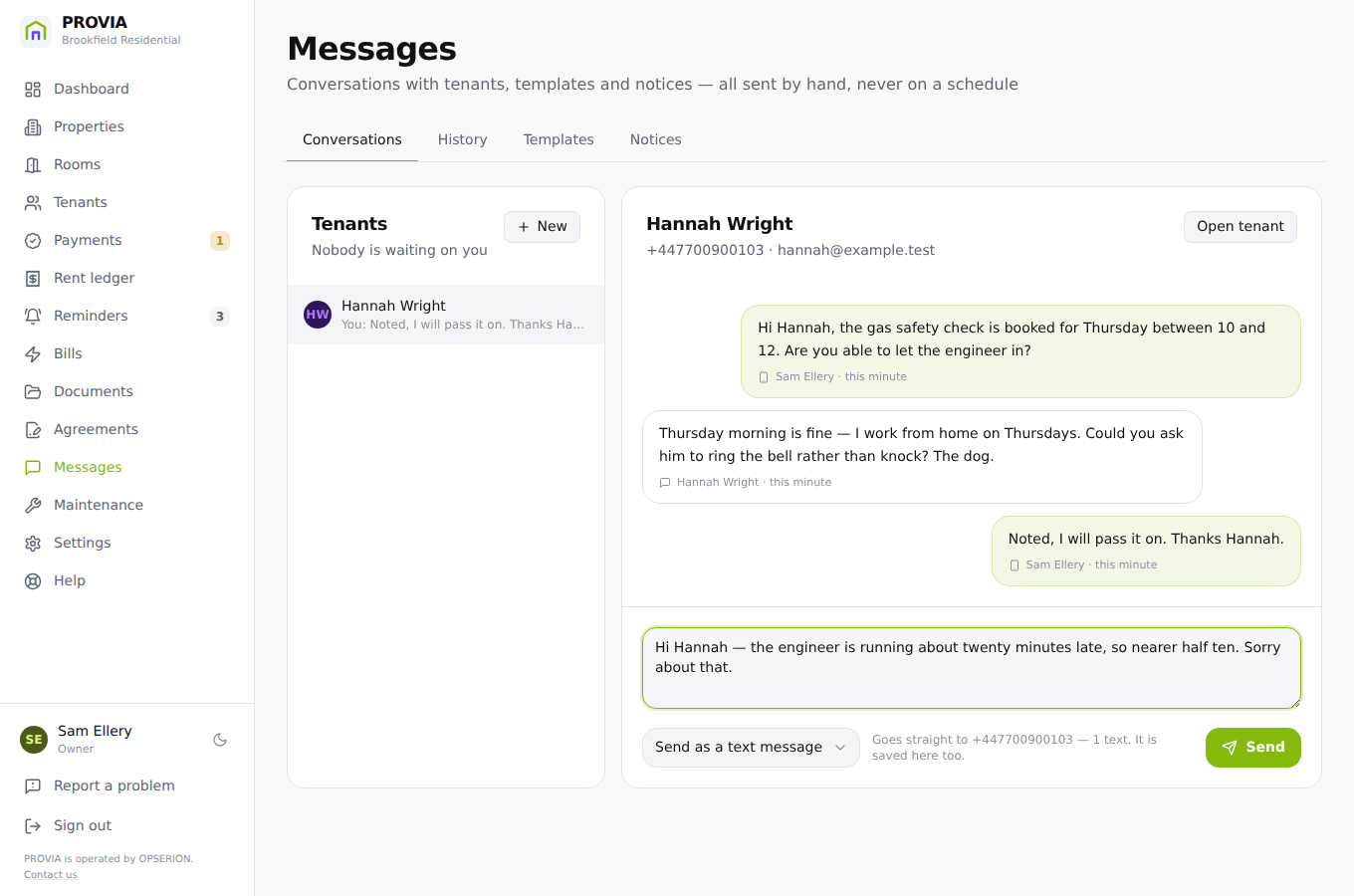
Sending a text
Choose the channel per message — their account, a text or an email — and see the number and the segment count before you press send.
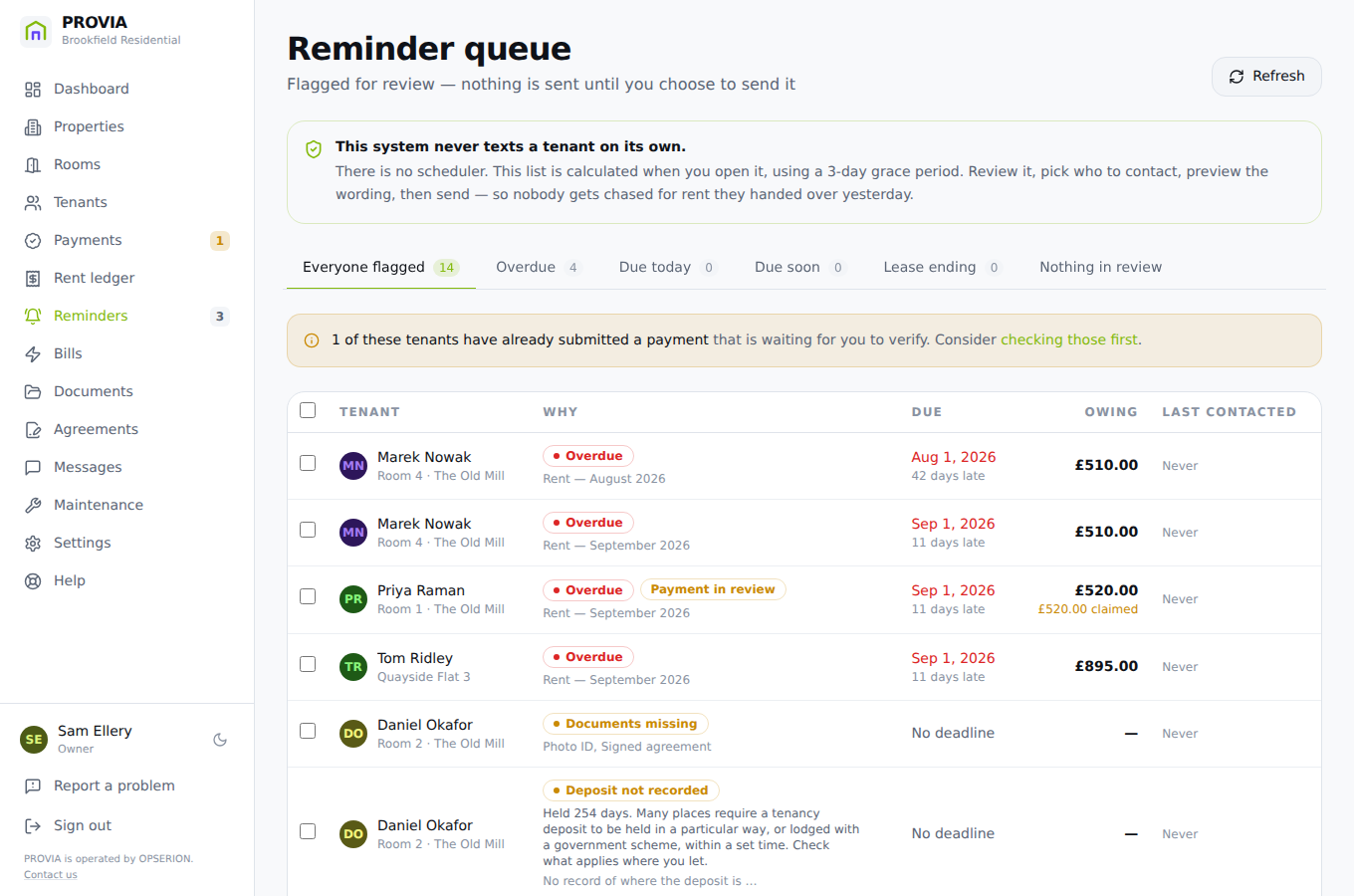
Who needs chasing
Worked out when you open it — overdue, ending, unprotected deposits — and it never sends anything on its own.
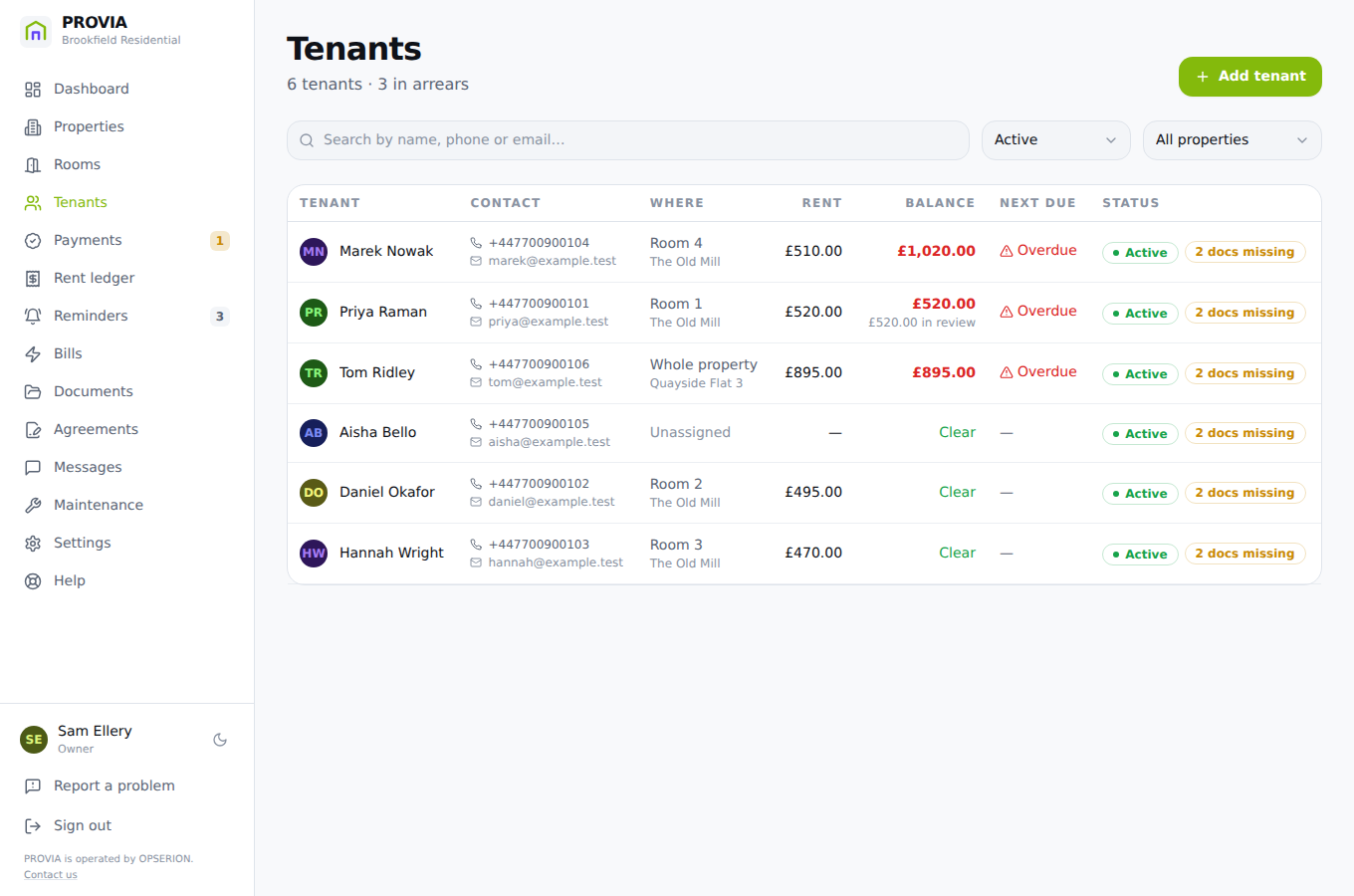
Every tenant, and what they owe
Contact details, tenancy, documents and a full payment history, with the balance computed from confirmed payments only.
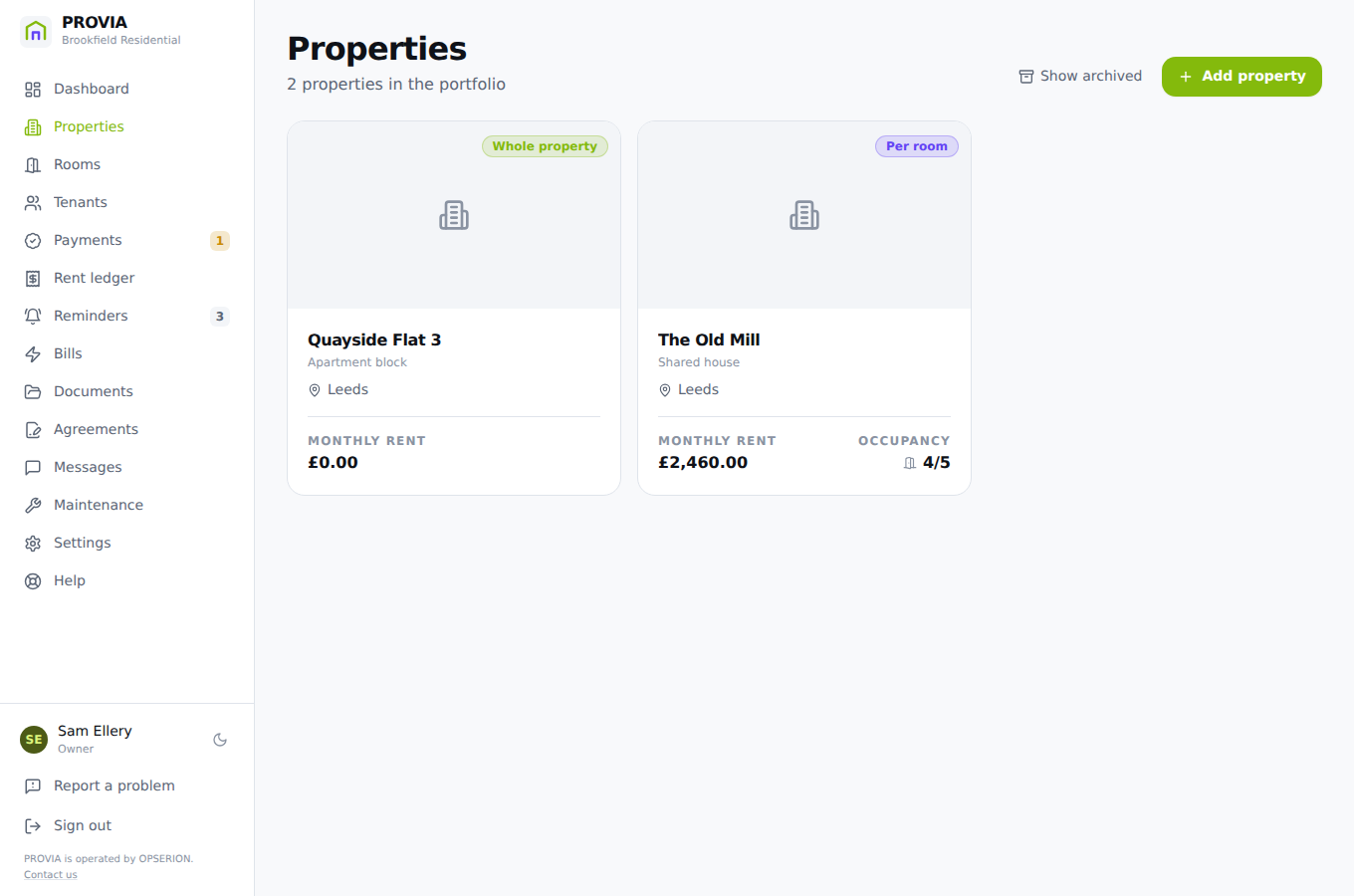
Properties and rooms
Let per room or as a whole. Occupancy is derived from tenancies, so a room cannot be marked occupied with nobody in it.
The tenant's side
Tenants sign in with their phone number and a code — no password to forget. They see what they owe, pay with proof, upload what you need and message you.
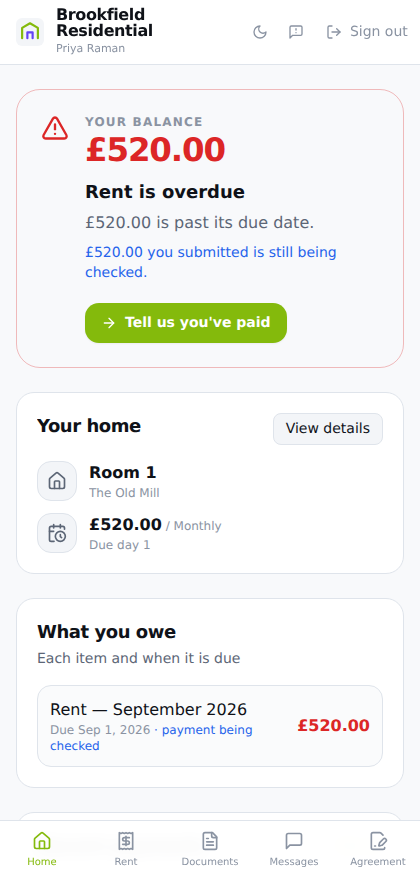
What the tenant sees
Their balance, what is due and when, their documents and a way to message you — signed in with their phone, no password.
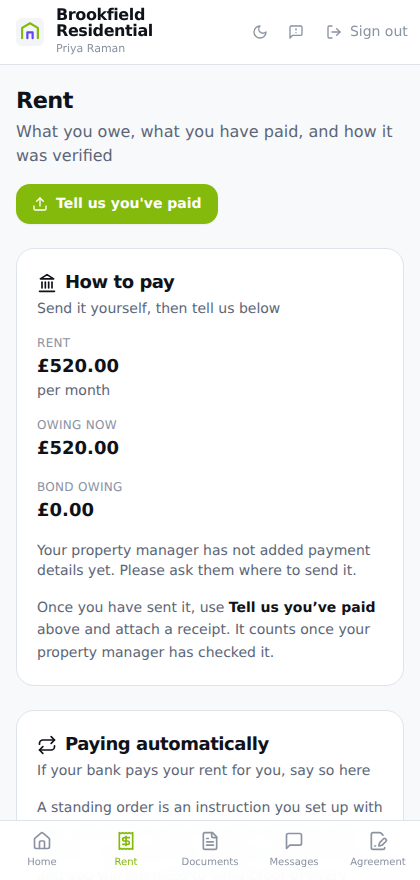
Paying, with proof
The tenant submits what they paid and a photo of the receipt. You confirm it at your end.
These are real screenshots
Each one is captured by running the actual application and driving it with a browser, so a picture here cannot show a version of PROVIA that no longer exists. The data is made up and the phone numbers come from the range Ofcom reserves for fiction — no customer's information has ever been on this page.